Tech issue

DO_inthewoods

Member
Joined
Dec 15, 2023
Messages
81
City
Berks
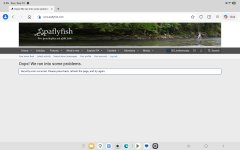
Over the last month I keep getting the attached error on my Galaxy Tab with Microsoft edge. I have tried reinstalling, dumping the cache/history stopping ad block etc and nothing lets it pop up.

Overall works on other devices
Desktop edge - ok
Google pixel with chrome - ok
Galaxy tab with chrome - ok
Galaxy tab with edge - error

Any tips to fix this?
 

Attachments

  • Screenshot_20260913_155520_Edge.jpg
    Screenshot_20260913_155520_Edge.jpg
    74.7 KB · Views: 16
Over the last month I keep getting the attached error on my Galaxy Tab with Microsoft edge. I have tried reinstalling, dumping the cache/history stopping ad block etc and nothing lets it pop up.

Overall works on other devices
Desktop edge - ok
Google pixel with chrome - ok
Galaxy tab with chrome - ok
Galaxy tab with edge - error

Any tips to fix this?
You did all the correct steps and than you for the details. I have made no changes to the site in several months. I have heard from some other people using Android and DuckDuckGo. I'm guessing there maybe an update within Android that has caused some of this. Hard for me to tell.

I do have an option for a minor update to the site that I am reviewing before implementing. Nothing in the update notes suggests a fix for your or other issues like the error message. I'll keep you posted once I make the update.

Thanks
 
You did all the correct steps and than you for the details. I have made no changes to the site in several months. I have heard from some other people using Android and DuckDuckGo. I'm guessing there maybe an update within Android that has caused some of this. Hard for me to tell.

I do have an option for a minor update to the site that I am reviewing before implementing. Nothing in the update notes suggests a fix for your or other issues like the error message. I'll keep you posted once I make the update.

Thanks
Thanks for getting back! On the tablet I did reinstall edge and kept default browser as bing (previously duckduckgo) with no luck, and tried the duckduckgo app with the same message.

Let me know about the update and I will happily troubleshoot through everything again to see if it works
 
If you have a VPN turned on, it will give you this message. Turn it off and you will have acces.
Good idea. It maybe only be certain VPN's. I use a VPN and have no issues. But do check. I do not block VPN's as a feature.

I do restrict country access for signups and allow only the US IP addresses.
 
Last edited:
Yes, I get this error at work only. If I use the notifications to access a forum, read it, then go back. I get this error. I just go back to the home page and access the forums through the Forum link in the header and all is well. I get this no where else. I agree with the VPN theory. My 2 cents
 
Get an Ipad, problem solved! 😉
 
I have a similar issue using DuckDuckGo as my browser on an Android phone with no VPN.

I can't recall if this was problem before a recent Android update because I hardly ever use my phone to access the Internet, let alone PAFF.

However, NO issues using the same phone with NO VPN, but with Firefox as the browser.
 
I have occasionally received the same error message on my iPad. No VPN’s (whatever they are) no Duck Duck Go, just an el dente iPad. I X it out and reopen the site and all is well.
 
I do not. it doesn't happen all the time. and only on my phone. Desktop does not have the issue but is LAN connection.
 
Back
Top